Every Feature Your School
Needs, Built Right In
IntelCampus is a complete school & coaching management platform — from student admission to final results. Automate every workflow, eliminate paperwork, and give teachers, students, and parents a seamless digital experience.
One Dashboard for
Everyone in Your Institution
Centralized profiles for students, teachers, and parents — with role-based dashboards and secure login for each.
Student Management
Complete student profiles with enrollment details, class assignments, and performance history. Search, filter, and export student records to PDF in one click.
- Add, edit & manage student records
- Profile photo & document upload
- Performance & attendance dashboard
- Export student list to PDF
Teacher Management
Add unlimited teacher accounts, assign them to specific classes and subjects, and track their class-wise performance — all from the admin dashboard.
- Teacher profile management
- Class & subject assignment
- Dedicated teacher dashboard
- Search, filter & export teachers
Parent Portal Add-on
Give parents real-time visibility into attendance, exam results, fee status, and upcoming events. Keep parents engaged through a dedicated portal.
- Link students to parent accounts
- View attendance & exam results
- Fee status & payment history
- Event & exam notifications
Build Your Entire
Curriculum Structure
Organize classes, subjects, and chapters exactly the way your school or coaching works — then assign teachers and content to each level.
Class & Batch Management
Create unlimited classes with Hindi / English medium options. Manage multiple batches per class, export class rosters, and assign students and teachers with ease.
Subject Management
Add subjects to specific classes and map them to teachers. Each subject gets its own chapters, notes, exams, and assignments — giving teachers full curriculum control.
Chapter Management
Break subjects into chapters for granular content organization. Each chapter holds its own notes, video lectures, MCQ questions, and subjective questions — chapter-by-chapter.
Smart Attendance
Tracking System
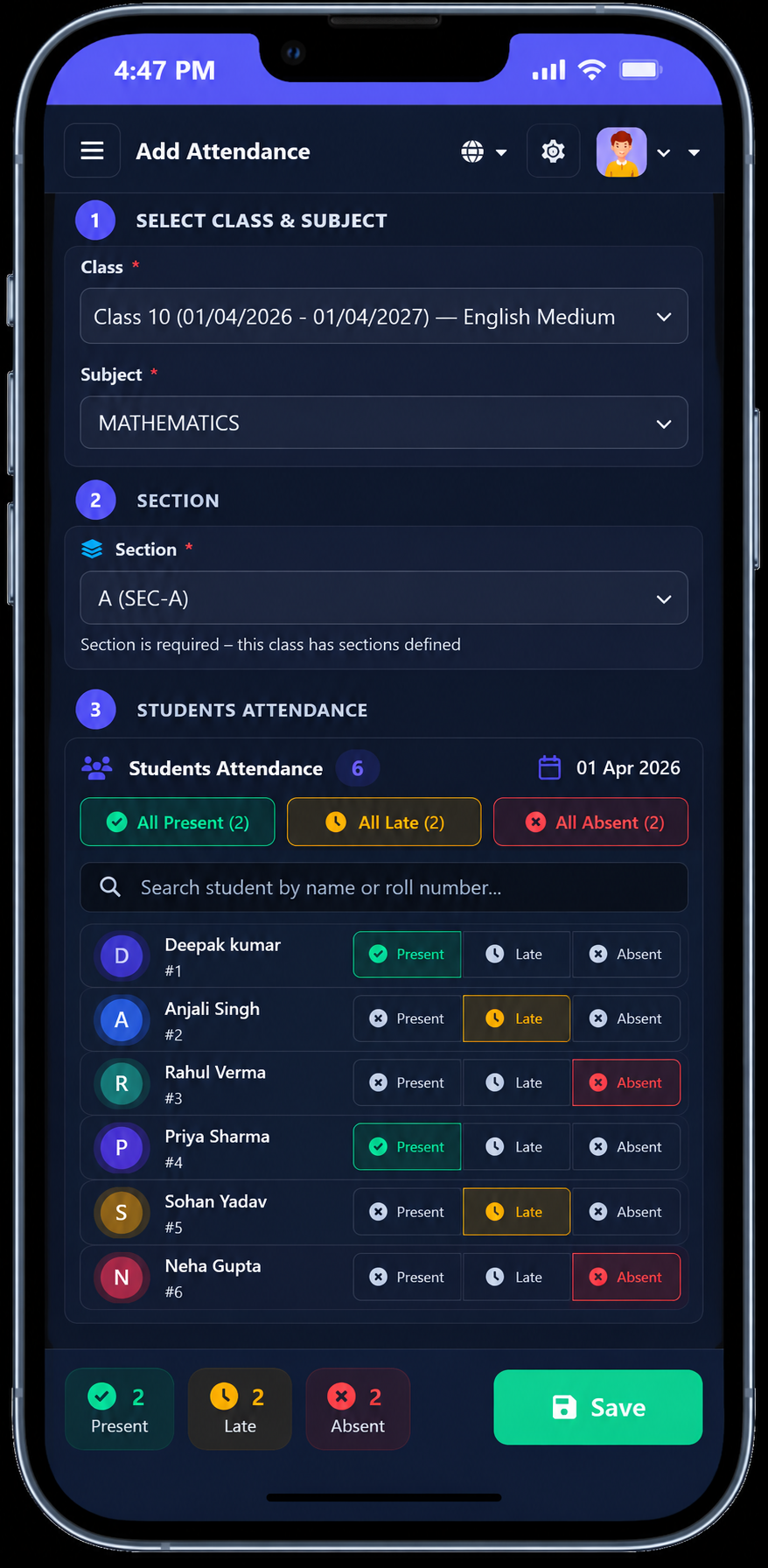
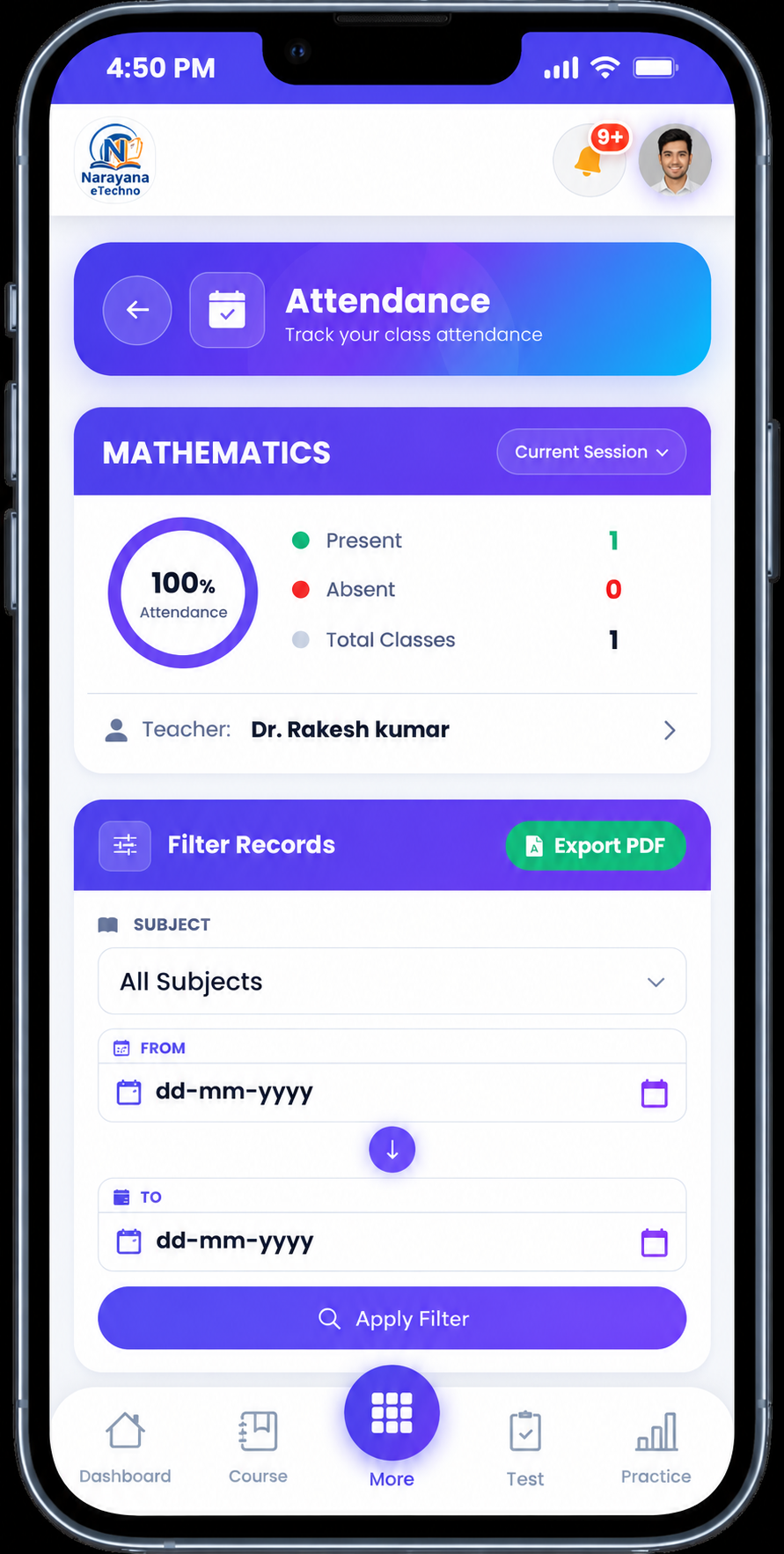
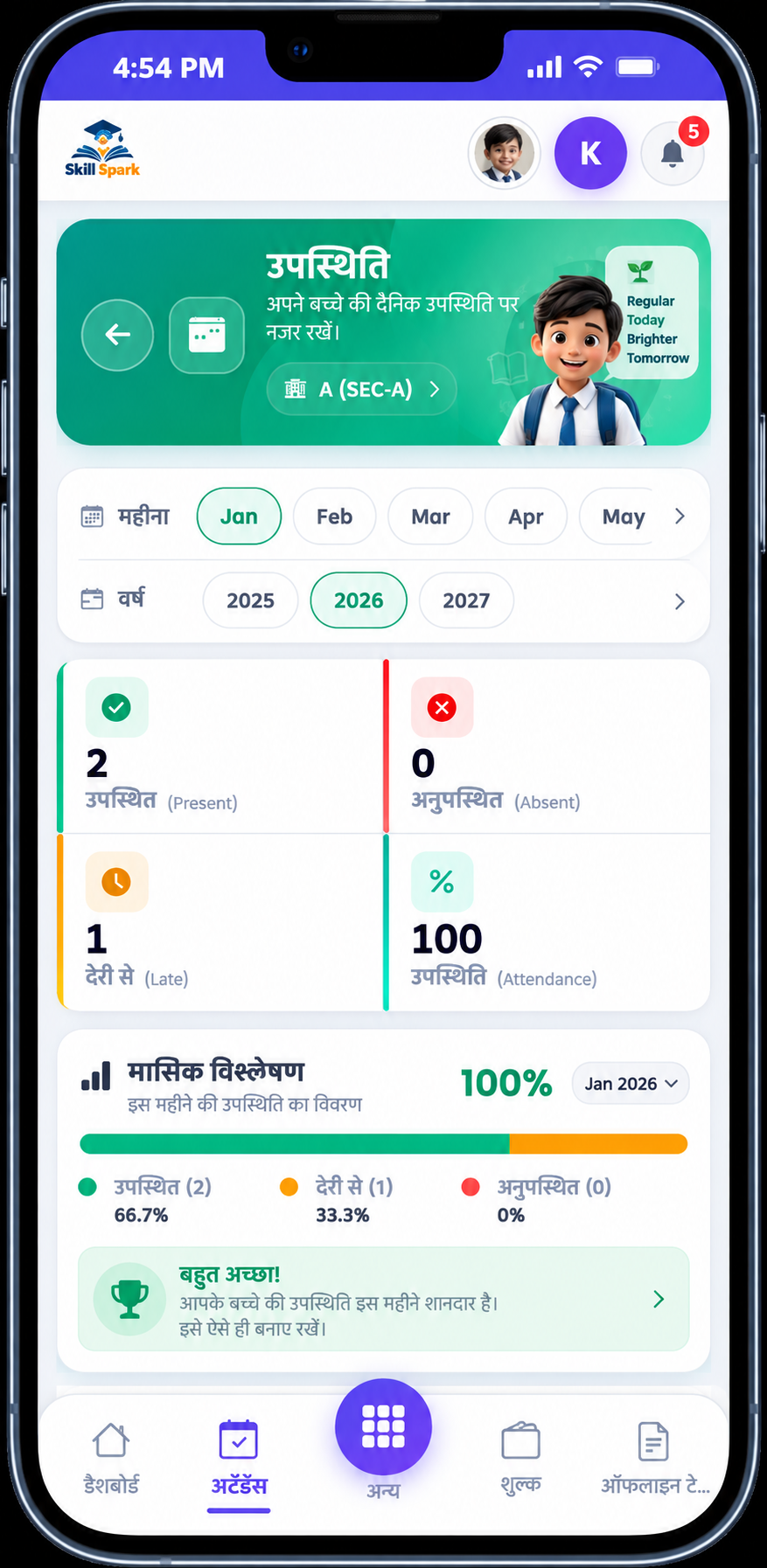
Teachers mark attendance for every class and subject with one click. IntelCampus tracks daily, monthly, and subject-wise attendance — generating detailed reports automatically and notifying parents of absences.
- Mark by class, subject & date
- Daily, monthly & subject-wise reports
- Export to PDF & Excel
- Filter by date, class, or teacher
- Automatic parent absence notifications
Chapter-wise Notes &
Video Lectures for Every Student
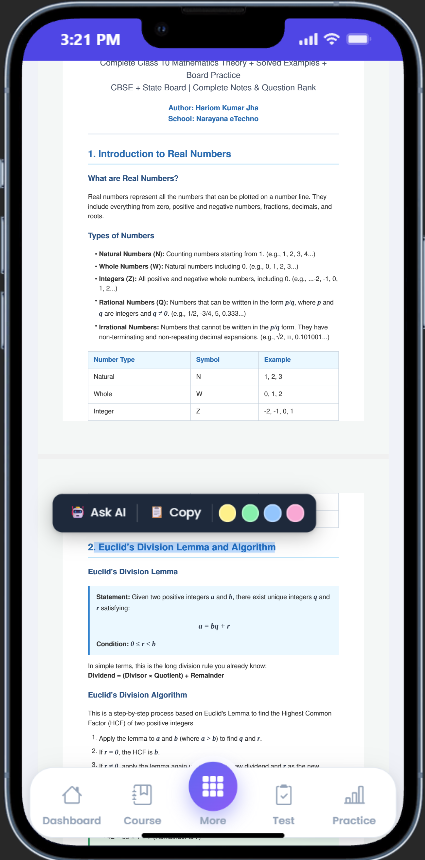
Teachers upload PDF notes and YouTube video links organised by subject and chapter. Students access everything from their app — anytime, from any device.
- Upload PDFs per chapter — teachers attach study material directly to each chapter for organised access
- YouTube video integration — paste a YouTube link and IntelCampus auto-fetches the title and thumbnail
- Subject & chapter organisation — all materials are neatly grouped so students never search for notes
- View PDFs inline in browser — students read notes without downloading, directly in the app
- Access from any device — mobile, tablet, or desktop — no download needed
- Restrict by class & subject — each student sees only the notes relevant to their enrolled subjects
Complete Online Exam
& Assessment System
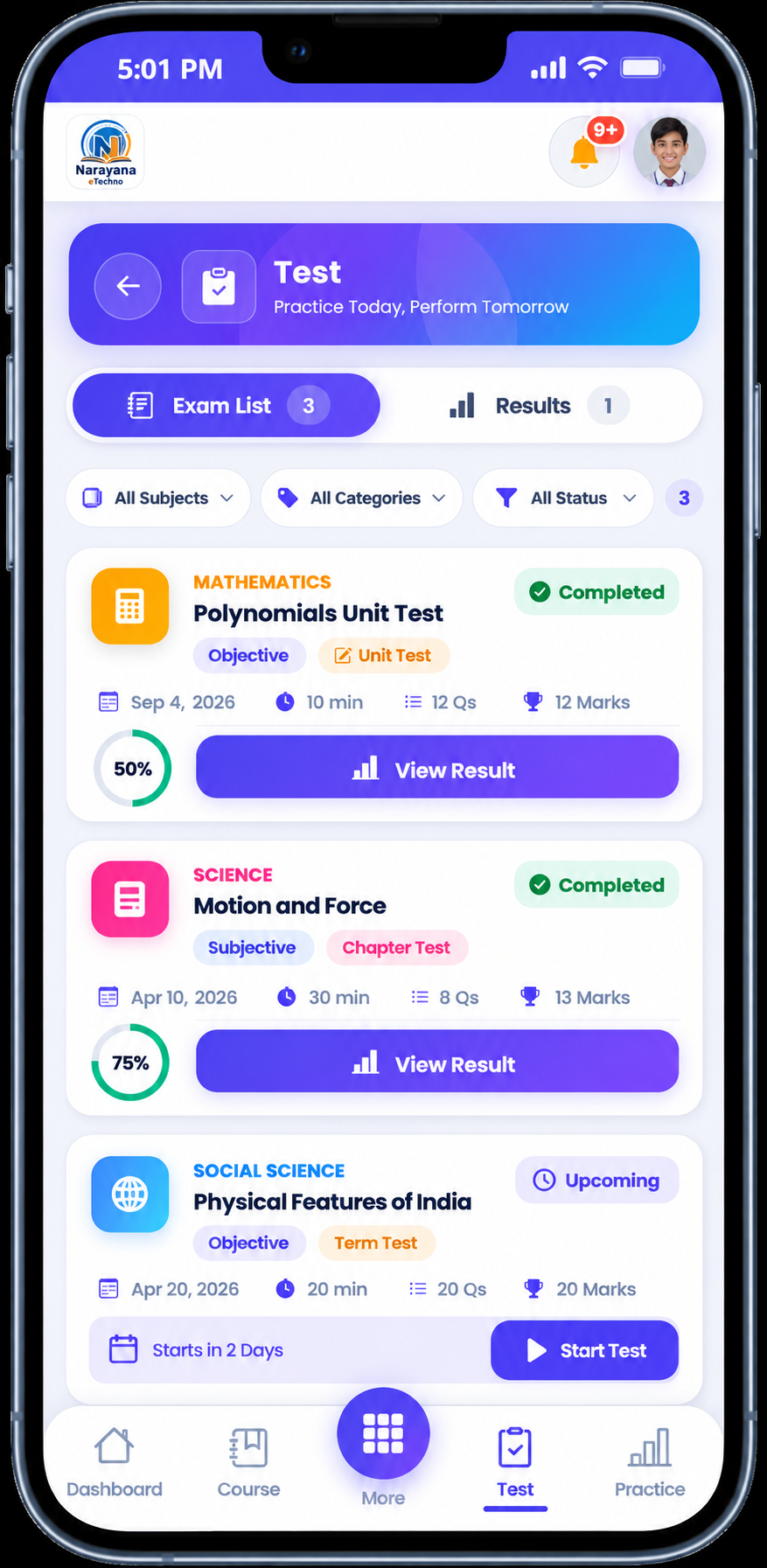
Conduct MCQ and subjective exams online. Auto-evaluate MCQs, monitor students in real time, and generate instant result reports — all from one dashboard.
MCQ / Objective Exams
Build multiple-choice exams with A–D options, image-based questions, chapter-wise question bank, and instant auto-checked results on submission.
Subjective Exams
Short & long answer papers submitted online. Teachers evaluate answers, annotate sheets, and update marks directly from their dashboard.
Live Exam Monitoring
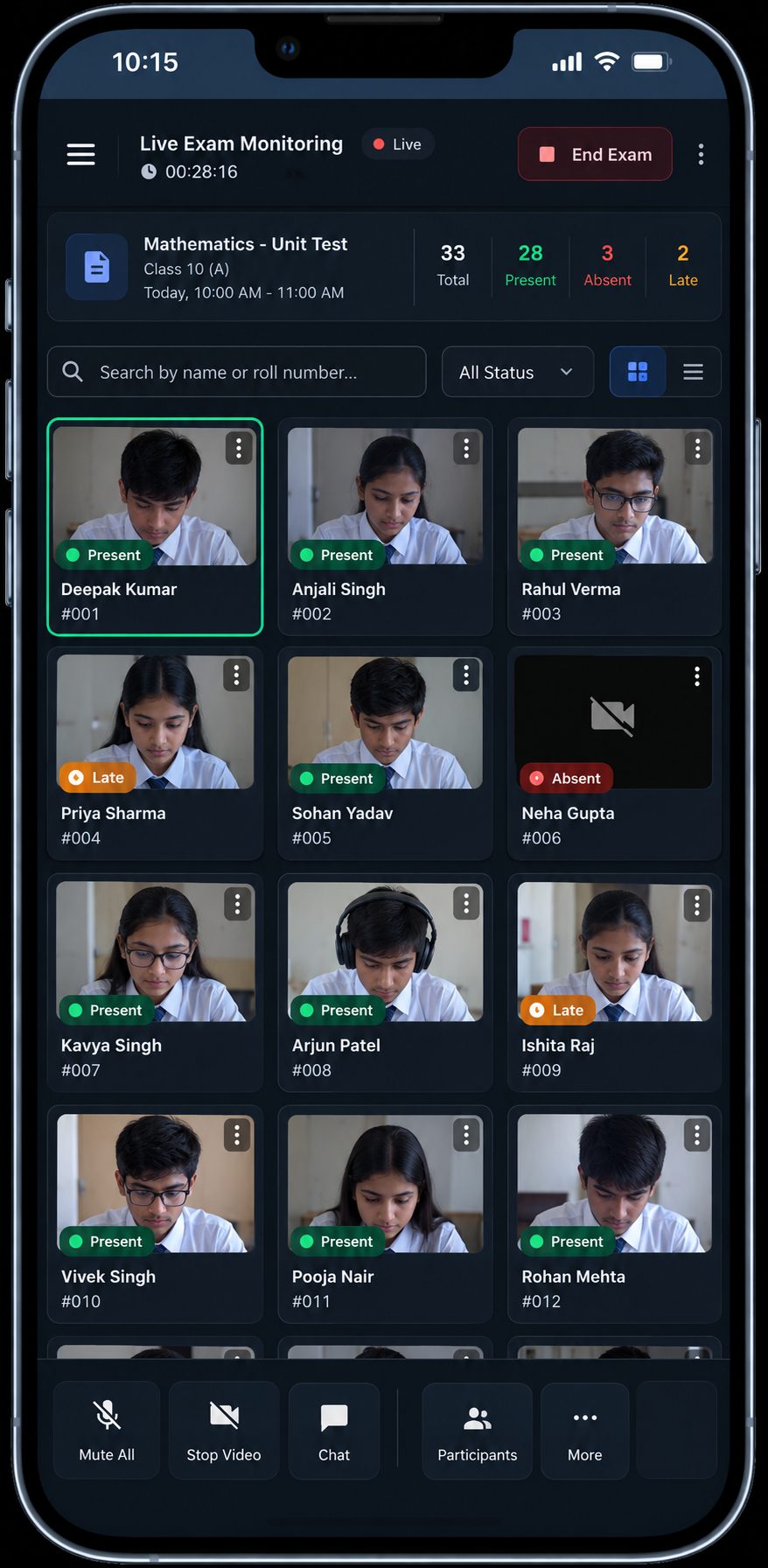
See every student's status in real time — active, submitted, or not started. Teachers stay in control of the exam with a live monitoring dashboard.
Instant Results & Analytics
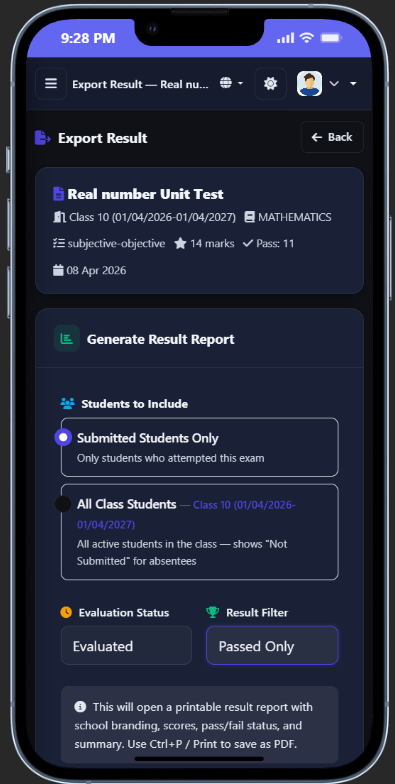
MCQ results auto-generate on submission. View student-wise and class-wise performance, edit marks when needed, and export result reports to PDF.
Watch Every Student
In Real Time During Exams
Teachers get a live dashboard showing every student's exam status the moment the exam starts. See who is active, who has submitted, who hasn't started, and detect tab-switch attempts — all without installing any software on student devices.
- Live status: Active / Submitted / Not Started
- Tab-switch detection with auto-alert to teacher
- Configurable max tab-switches before auto-submit
- Real-time count of students in the exam room
- Works for both MCQ and subjective online exams
Chapter-wise Quizzes
Students Can Attempt Anytime
Beyond scheduled exams — students can attempt MCQ quizzes per chapter at their own pace. Track scores, attempt counts, and learning progress automatically.
Chapter-wise MCQ
Each chapter has its own quiz bank. Students attempt quizzes to test their understanding of that specific topic at any time.
Unlimited Attempts
Students can reattempt quizzes multiple times. Each attempt is tracked separately so teachers can see improvement over time.
Instant Auto-Score
Scores are calculated instantly on submission. Students see their result, correct answers, and explanations right away — no waiting.
Progress Tracking
Teachers and admins see how many times each student attempted each chapter quiz and their best score — identifying weak areas instantly.
Manage Paper-Based Exams
Digitally from Start to Finish
Not all exams are online — IntelCampus lets you manage traditional pen-and-paper exams through a fully digital workflow. Schedule exams, issue admit cards, enter marks after the exam, generate result reports, and notify parents — all without any paperwork.
- Schedule exams by subject, class & date
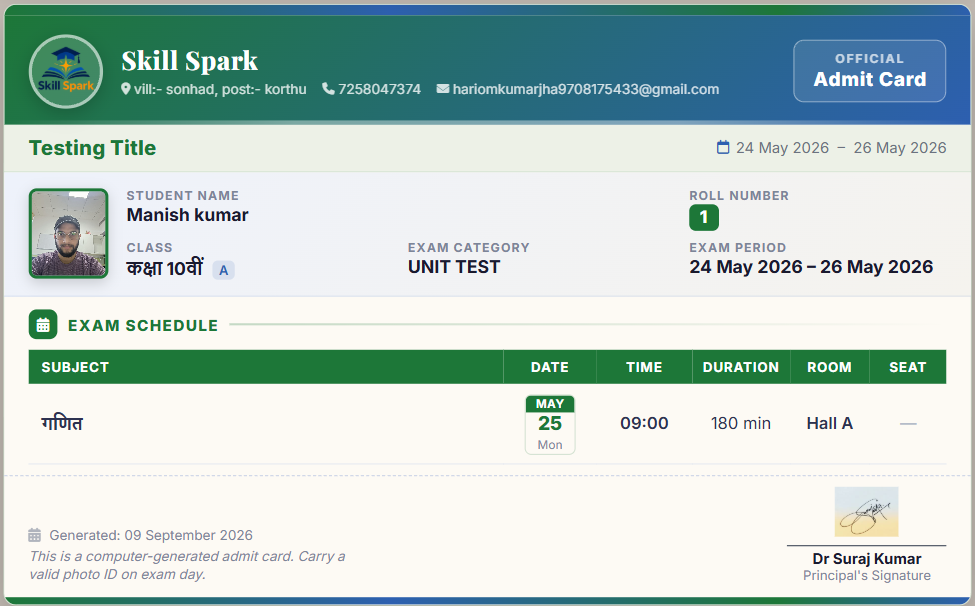
- Auto-generate admit cards before exam day
- Teachers enter marks post-exam via dashboard
- Auto-generate result reports & report cards
- Notify parents when results are published
- Students view marks & report card on app
Auto-Generate Results &
Marksheets in Seconds
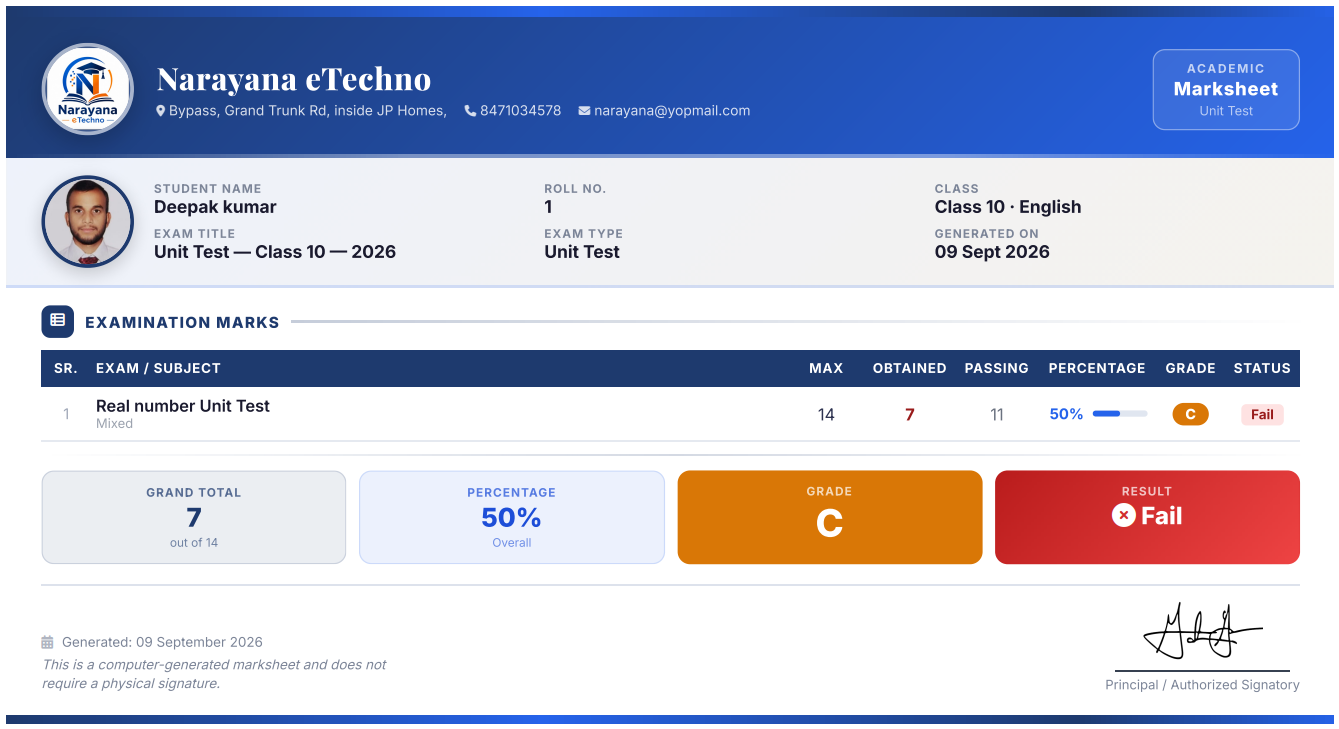
Whether it's an online MCQ exam or an offline paper — IntelCampus auto-calculates marks, generates class-wise result lists, and produces individual marksheets ready to print or share with parents.
Result Reports
View full class-wise result lists after any exam — online or offline. Filter by subject, class, or section. See toppers, average scores, and passing rates at a glance. Export to PDF for management or parent meetings.
Individual Marksheet
Each student gets a professional individual marksheet with all subject marks, total score, percentage, grade, and school branding. Downloadable instantly and shareable with parents via the mobile app.
Auto-Generate Branded
Admit Cards & Report Cards
Eliminate manual paperwork. IntelCampus auto-generates professional admit cards and result report cards with your school branding — downloadable in seconds, shareable with parents instantly.
Admit Cards
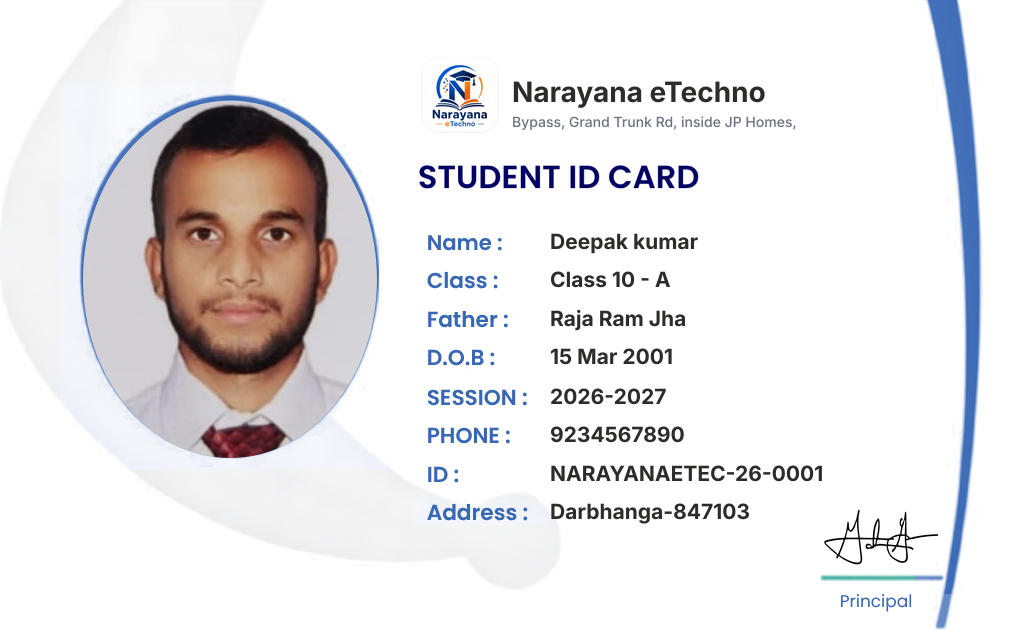
Auto-generate admit cards for every student before each exam. Each card includes the student's photo, name, roll number, class, exam schedule, and school logo — perfectly formatted for printing or WhatsApp sharing.
Report Cards
Generate professional report cards automatically from exam marks. Each report card includes all subjects, marks, grades, attendance percentage, teacher remarks, and principal signature — ready to print or share digitally with parents via the app.
Complete School Bus
Fleet Management System
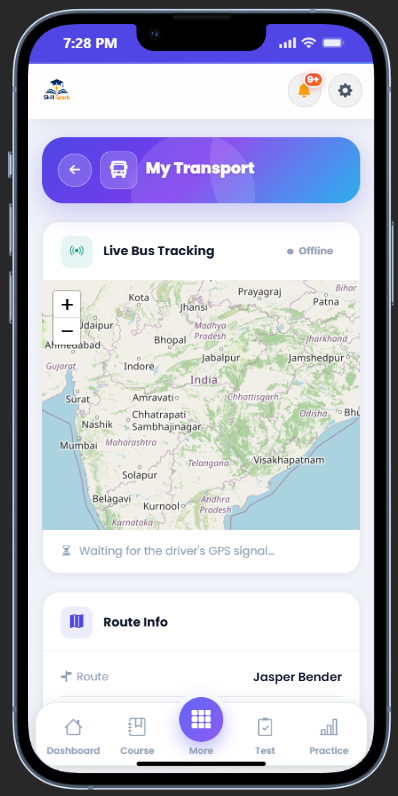
Manage your entire school transport fleet from one dashboard. Define routes with pickup stops, assign students and drivers to each vehicle, and collect transport fees — replacing manual registers with a digital system parents can also track.
- Create unlimited routes with multiple stops
- Add vehicles with driver & contact details
- Assign students to a specific route & stop
- Set per-stop transport fee & track payments
- Parents see child's route on the app
- Export student transport list to PDF
Digital Homework &
Assignment Management
Replace paper homework with a fully digital assignment workflow. Teachers post assignments with instructions and deadlines. Students submit answers as PDFs from the app. Teachers review, grade, annotate, and provide written feedback — everything tracked automatically.
- Create assignments with PDF instructions & deadline
- Students submit PDF answers from mobile app
- Teachers review, grade, and annotate submissions
- Track submission status — Submitted / Pending / Late
- Students receive feedback and marks directly in app
- Assign to specific class, subject, or section
Schedule & Conduct
Live Online Classes
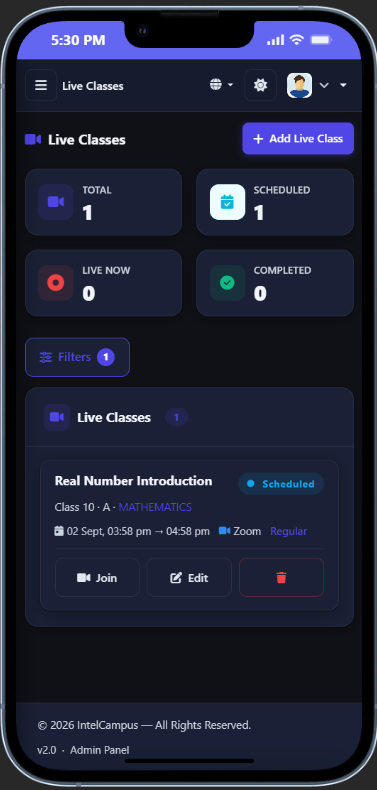
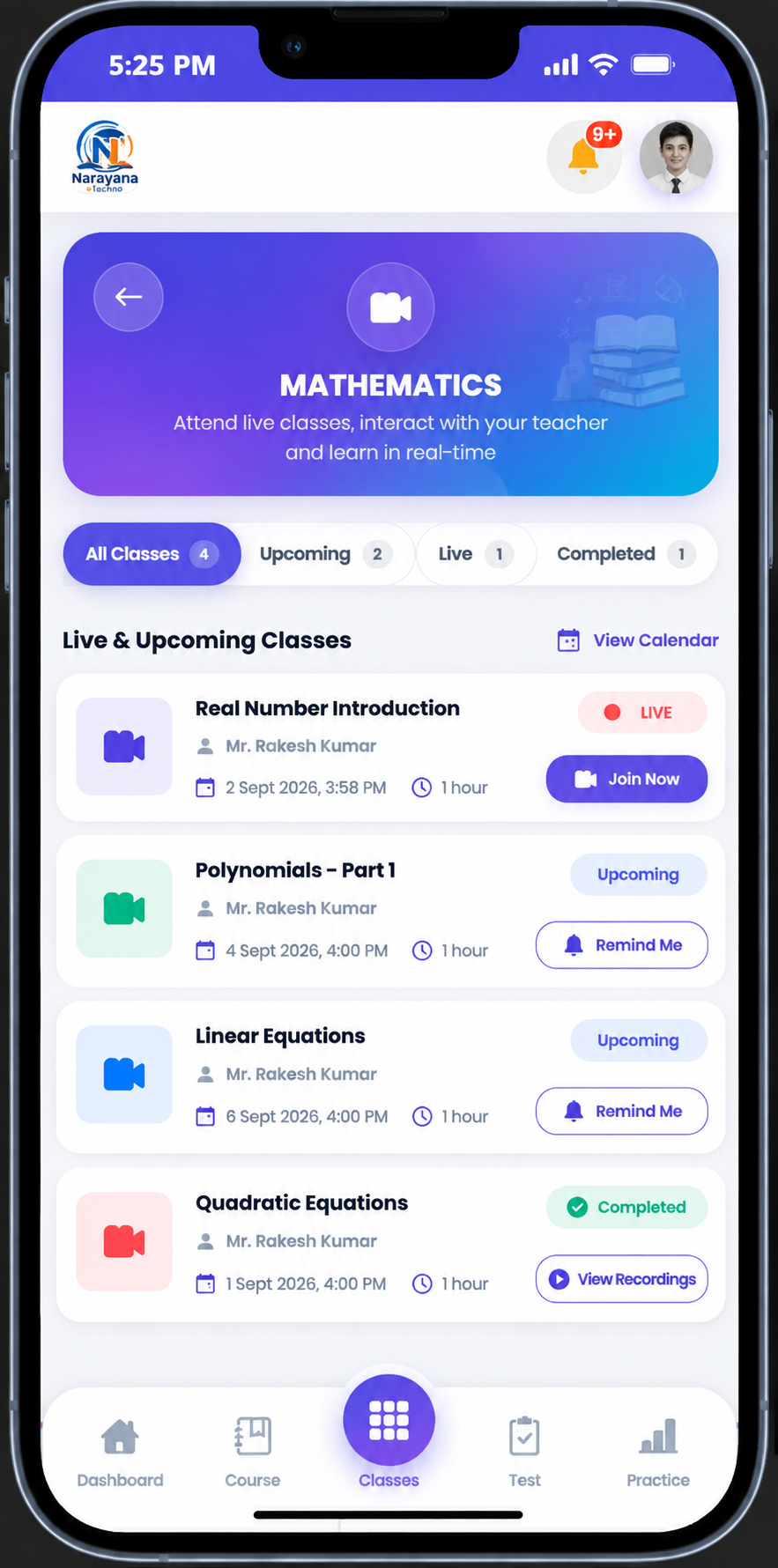
Teachers schedule live classes with a meeting link. Students join directly from the IntelCampus app — no extra software, no app store download needed. Attendance is tracked automatically.
For Teachers
Schedule classes with a title, date, time, and meeting link. Students in the assigned class see the session in their app automatically. Start the class on time and track who joins.
For Students
Students see upcoming live classes on their app dashboard with join links. Tap to join — no login needed separately. Class attendance is logged the moment they join.
School-wide Events &
Automated Reminders
Schedule PTMs, holidays, sports days, exam dates, and school functions on a shared calendar. Automated push notifications and alerts reach students and parents the moment an event is created.
Create Events
Add events with title, date, description, and scope — assign to a specific class or broadcast school-wide in one click.
Auto Notifications
Students and parents receive instant push notifications for every new event. No need to check manually — alerts come to them.
Calendar View
All events appear in a clean calendar view in the student and parent app — no more missed PTMs or exam dates.
Announcements
Send school announcements alongside events. Parents are notified instantly — ideal for sudden holidays, exam postponements, or important notices.
Complete Fee & Finance
Management System
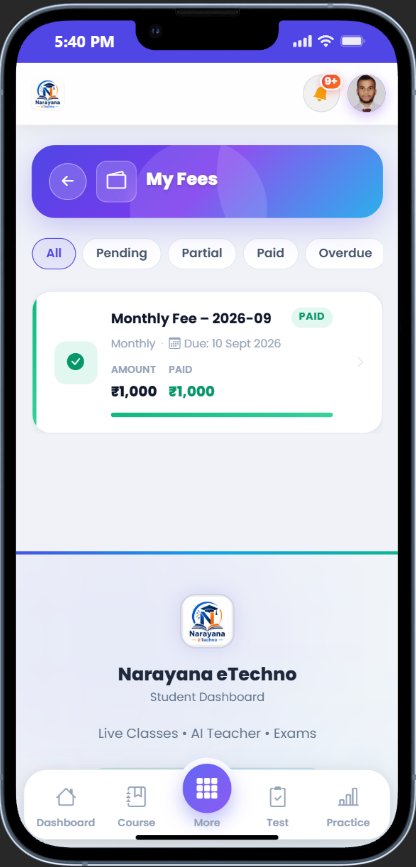
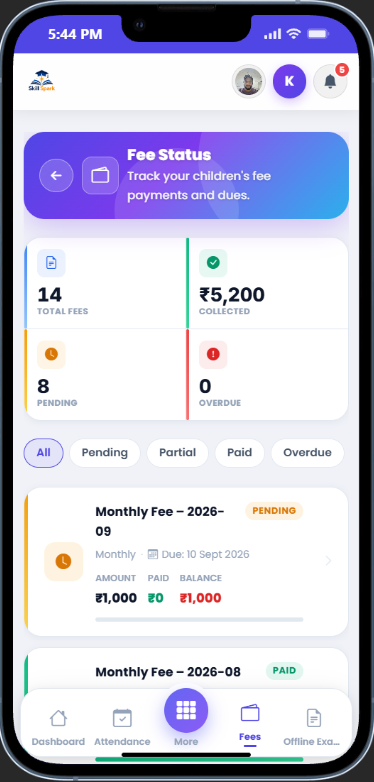
Replace manual fee registers with IntelCampus's digital fee system. Create records for individual students or entire classes, accept payments in any mode, auto-generate receipts with unique numbers, and track all payment statuses.
- Record payments: Cash, Online, UPI, Cheque
- Status: Pending / Partial / Paid / Overdue
- Auto-numbered fee receipts in PDF
- Bulk fee creation per class with due dates
- Parent fee visibility via mobile app
Digital Class Timetable
Published in Minutes
Build and publish period-wise weekly timetables for every class from the admin dashboard. Teachers see their personal teaching schedule and students see their full class timetable the moment it's published — no more printed timetables or period confusion.
- Create period-wise weekly schedule per class
- Assign subject & teacher to each period
- Teachers see only their own personalised timetable
- Students view full class schedule from the app
- Update anytime — changes reflect instantly for all
Complete Staff Salary &
Payroll Management
Manage teacher and staff salaries directly from the admin panel. Set salary structures, record monthly disbursements, track payment history, and generate PDF payslips — all in one place.
Salary Structure
Define basic salary, allowances, and deductions per staff member. Set different structures for teachers, admin staff, and support staff.
Monthly Disbursement
Record salary payments month by month. Mark as paid, pending, or partially paid. Track every disbursement with a timestamped history.
PDF Payslips
Generate professional payslips for every staff member per month. Includes salary breakdown, deductions, net pay, and school branding — ready to print or share.
Payment History
Full payment history per staff member across all months. See pending dues, total paid, and disbursement dates — all from the admin dashboard.
Keep Parents Informed
in Real Time
Give every parent a dedicated mobile portal to track their child's school life in real time. Attendance, exam results, fee status, upcoming events, and notifications — all in one place, accessible from any phone without an app download.
- Daily & monthly attendance with absent alerts
- Exam results & report cards instantly on publish
- Fee payment status, dues, and receipt download
- School events, holidays, and exam schedules
- No app download — works in any mobile browser
- Link multiple children to one parent account
AI Chatbot Tutor & More
Built for Modern Schools
AI Chatbot Tutor
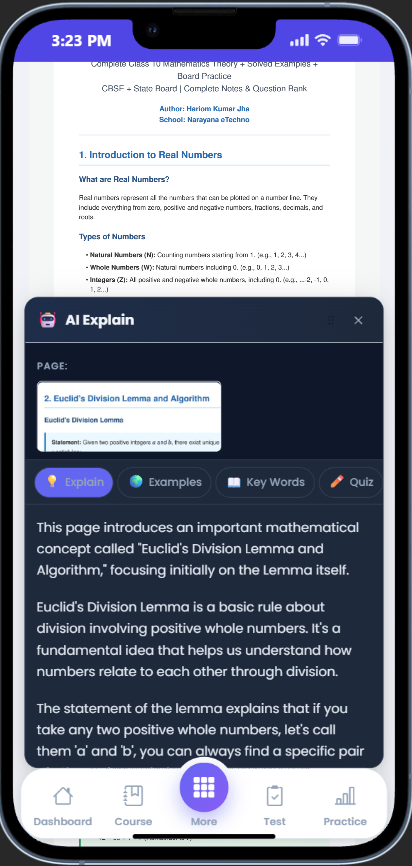
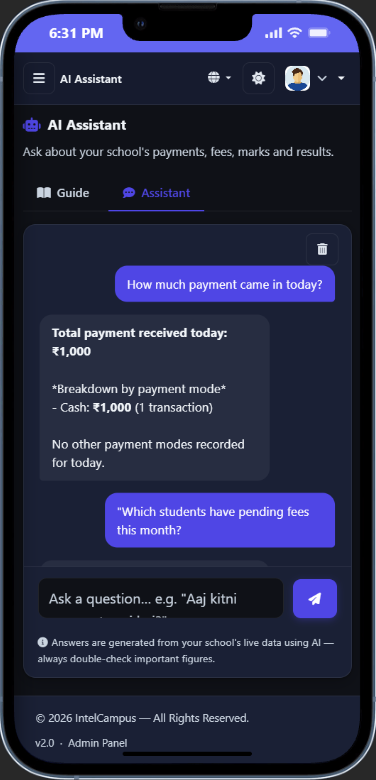
Students get instant answers to subject doubts from an AI tutor available 24/7 inside the app. The chatbot understands the school's syllabus context — students ask questions in Hindi or English and get clear, curriculum-aligned explanations instantly without waiting for a teacher.
Reports & Analytics
Track student progress, attendance trends, exam performance, and fee collection from the admin dashboard. Export detailed reports in PDF or Excel for management review or parent meetings.
Hindi & English Support
Full interface and content support in both English and Hindi. Admins, teachers, and students switch language with a single click. Questions, notes, and communications in either language.
PDF & Excel Exports
Export student lists, attendance, exam results, fee records, and receipts as print-ready PDFs. Attendance and result data also exports to Excel for analysis.
Role-Based Access Control
4 dedicated user roles — Admin, Teacher, Student, Parent — each with a secure login and a dashboard tailored exactly to their needs. No role can access another's data.
100% Cloud & Secure
No software to install, no servers to maintain. Works on any browser and device. All data encrypted at rest and in transit — your school's data is isolated, private, and always secure.
Works on Any Device
IntelCampus is a Progressive Web App (PWA). Students and parents access everything in their mobile browser — no app store download, no installation, works on any Android or iOS device.