A Smarter School ERP for
Academics, Administration & Growth
IntelCampus brings student records, attendance, examinations, fee management, staff operations, parent communication, and AI-assisted learning into one connected school management platform.


Everything Your School Needs
in One Platform
Four things every school struggles with daily - we've built a proper solution for each. No add-ons, no integrations, no extra cost.
Smart Attendance
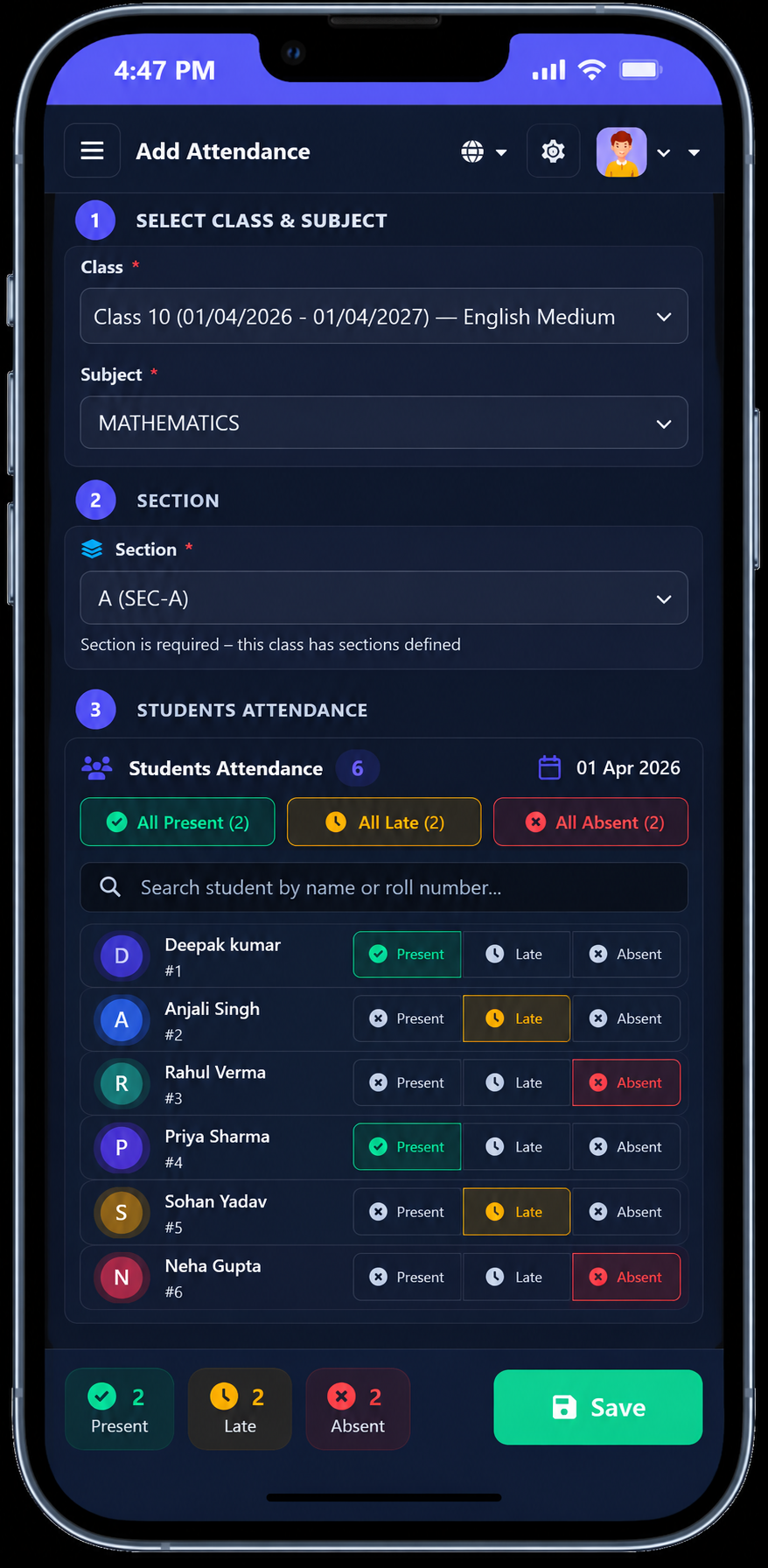
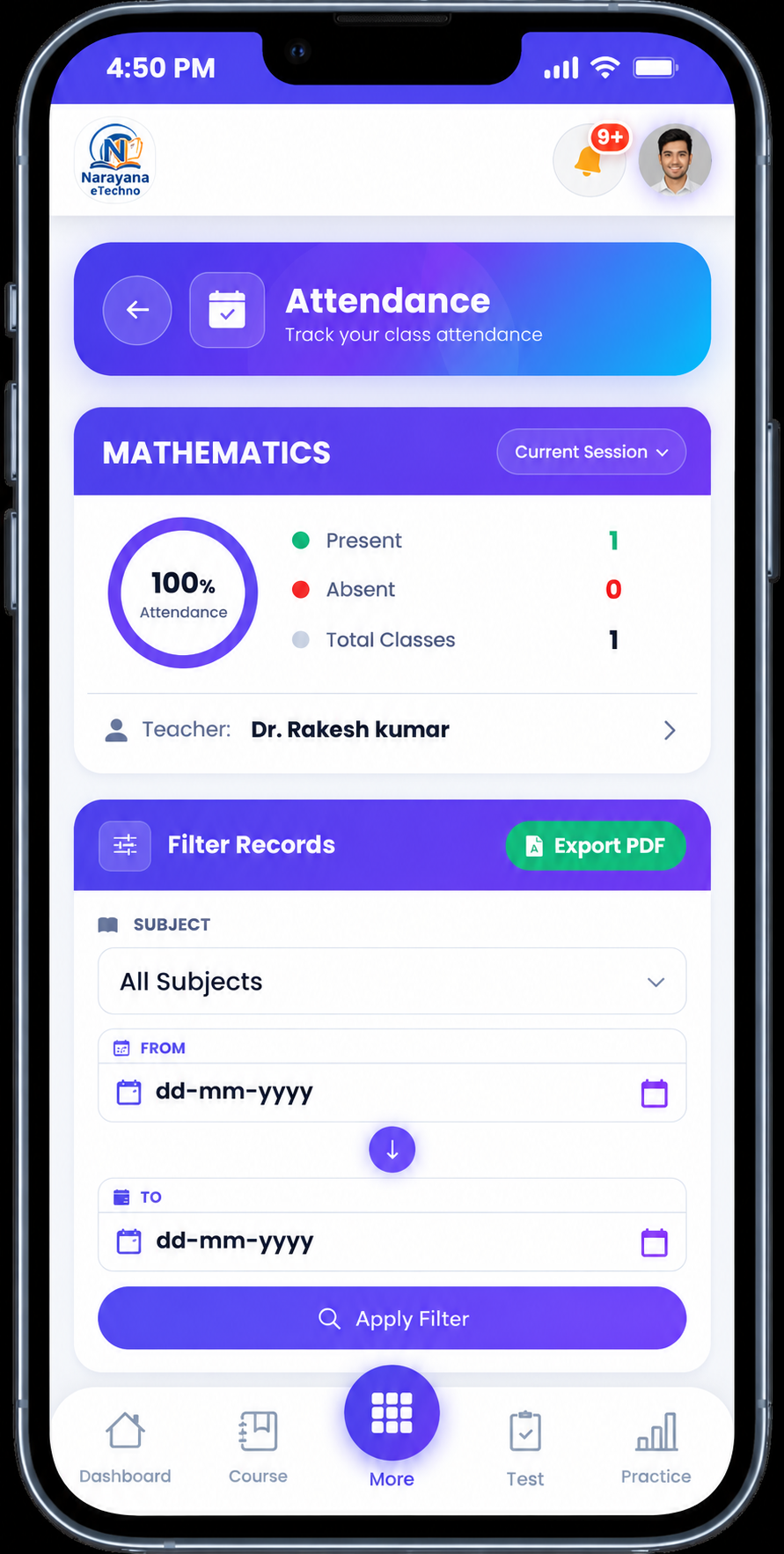
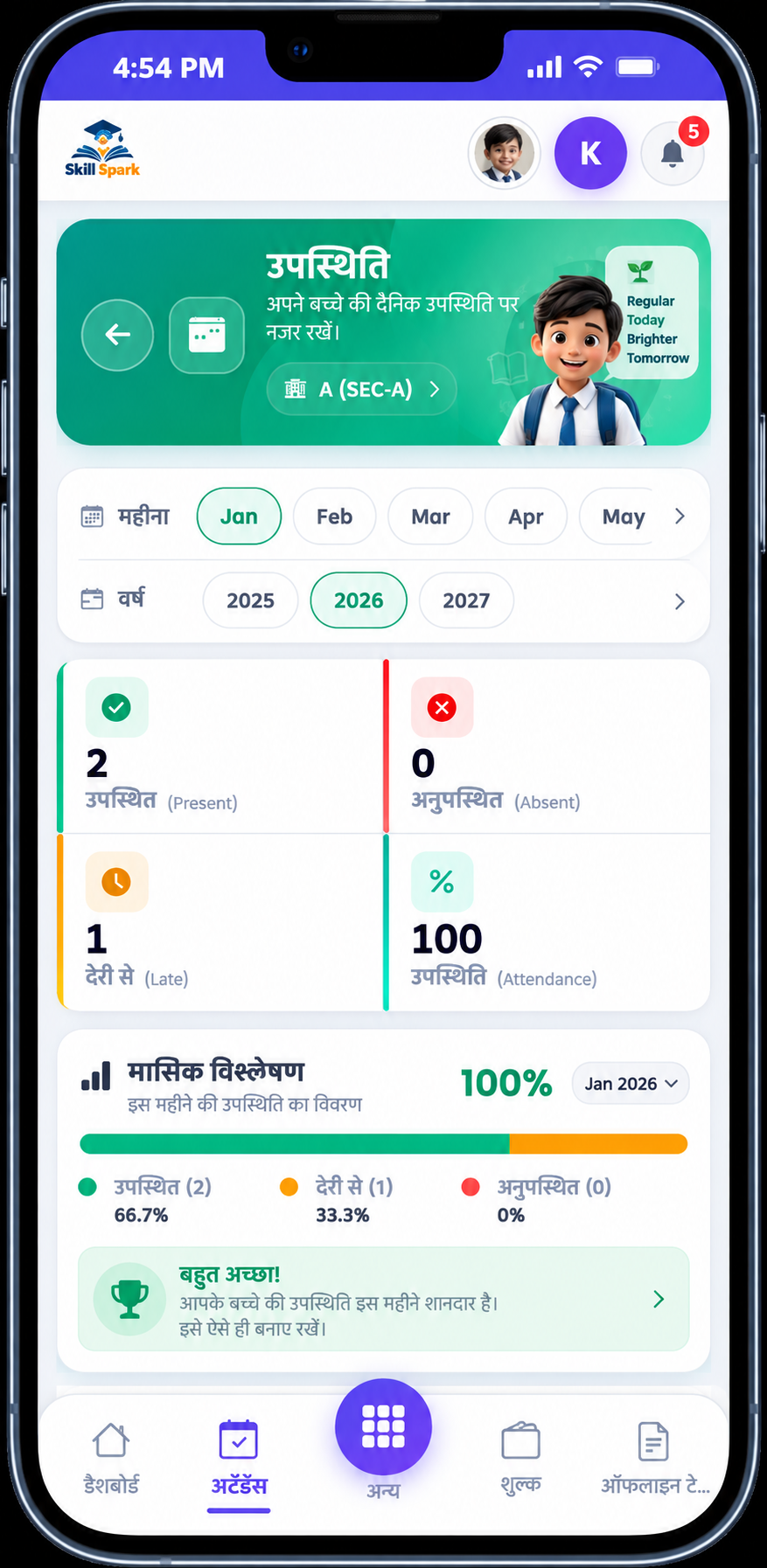
Mark attendance in one tap - parents get notified instantly if a student is absent.
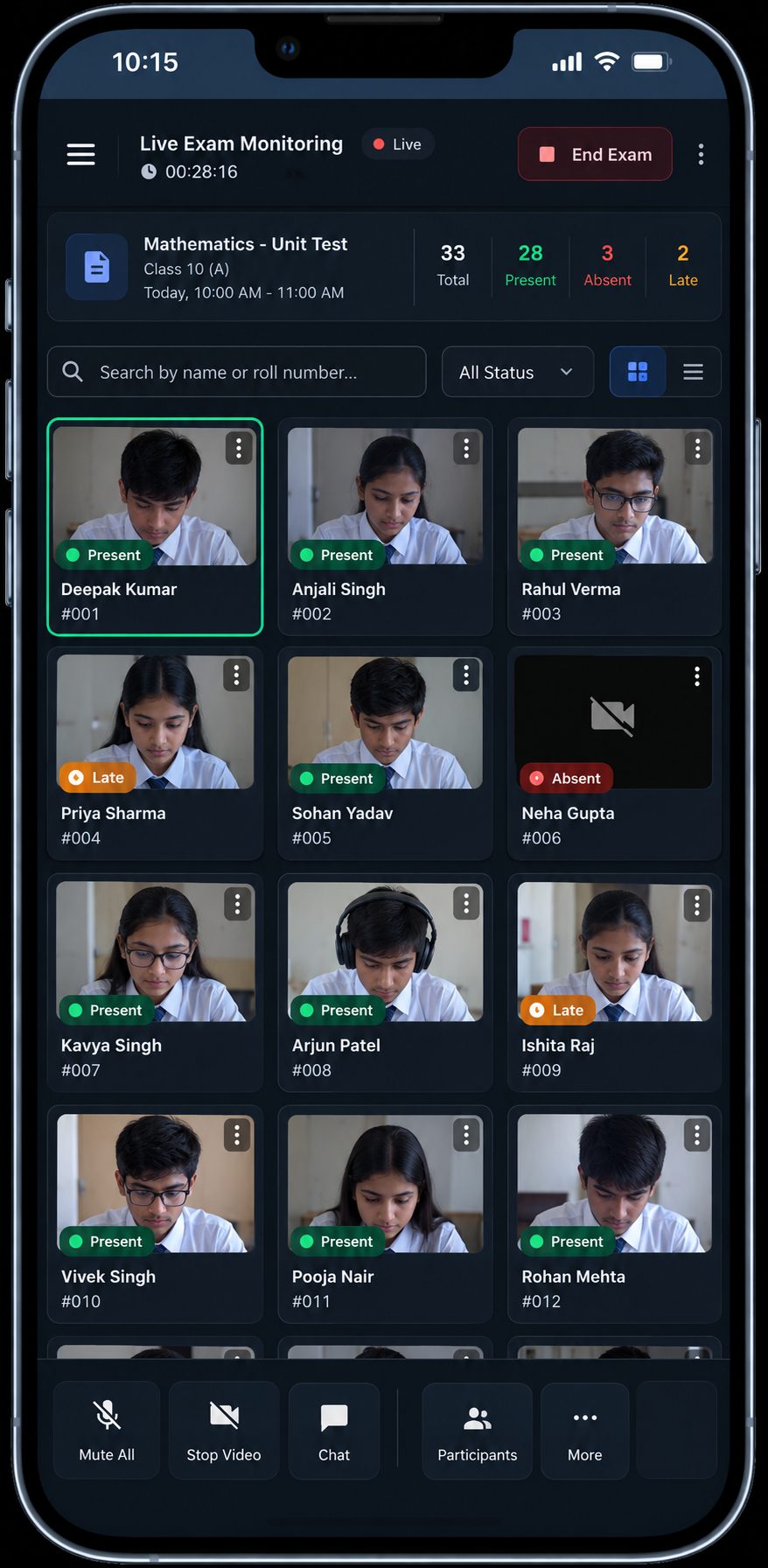
Online Exams
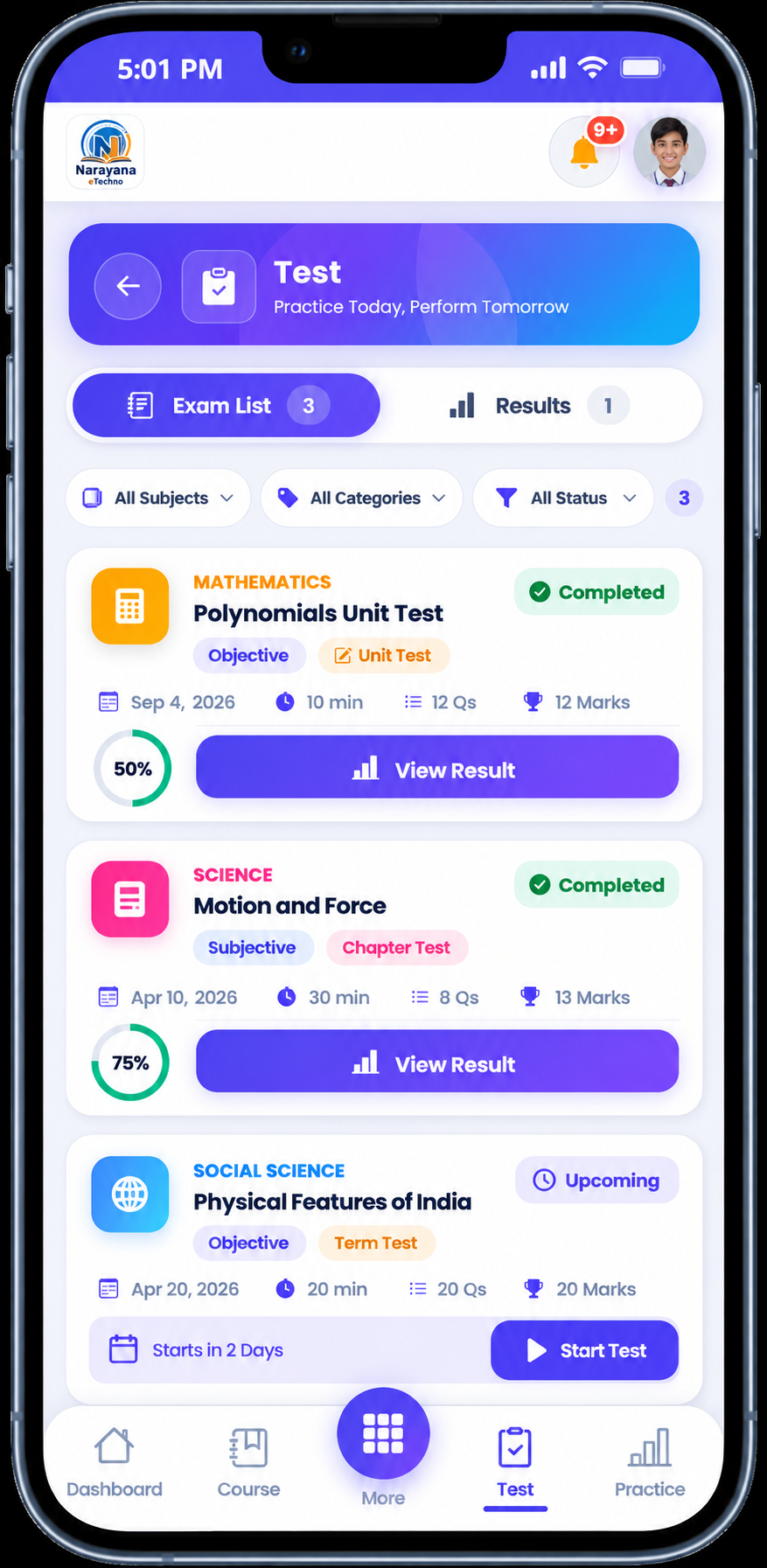
MCQ or subjective exams, auto-graded the moment a student submits.
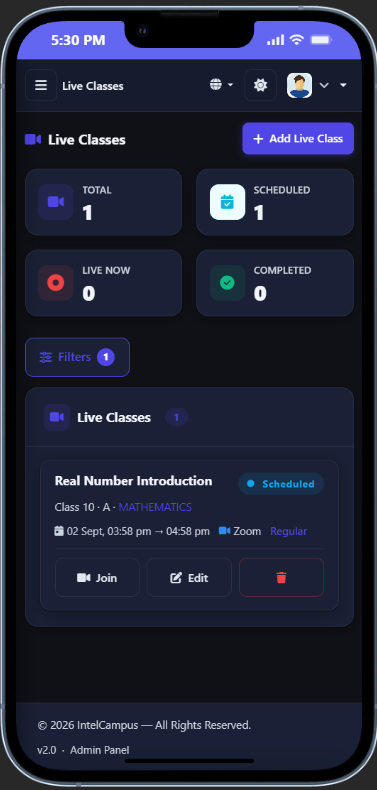
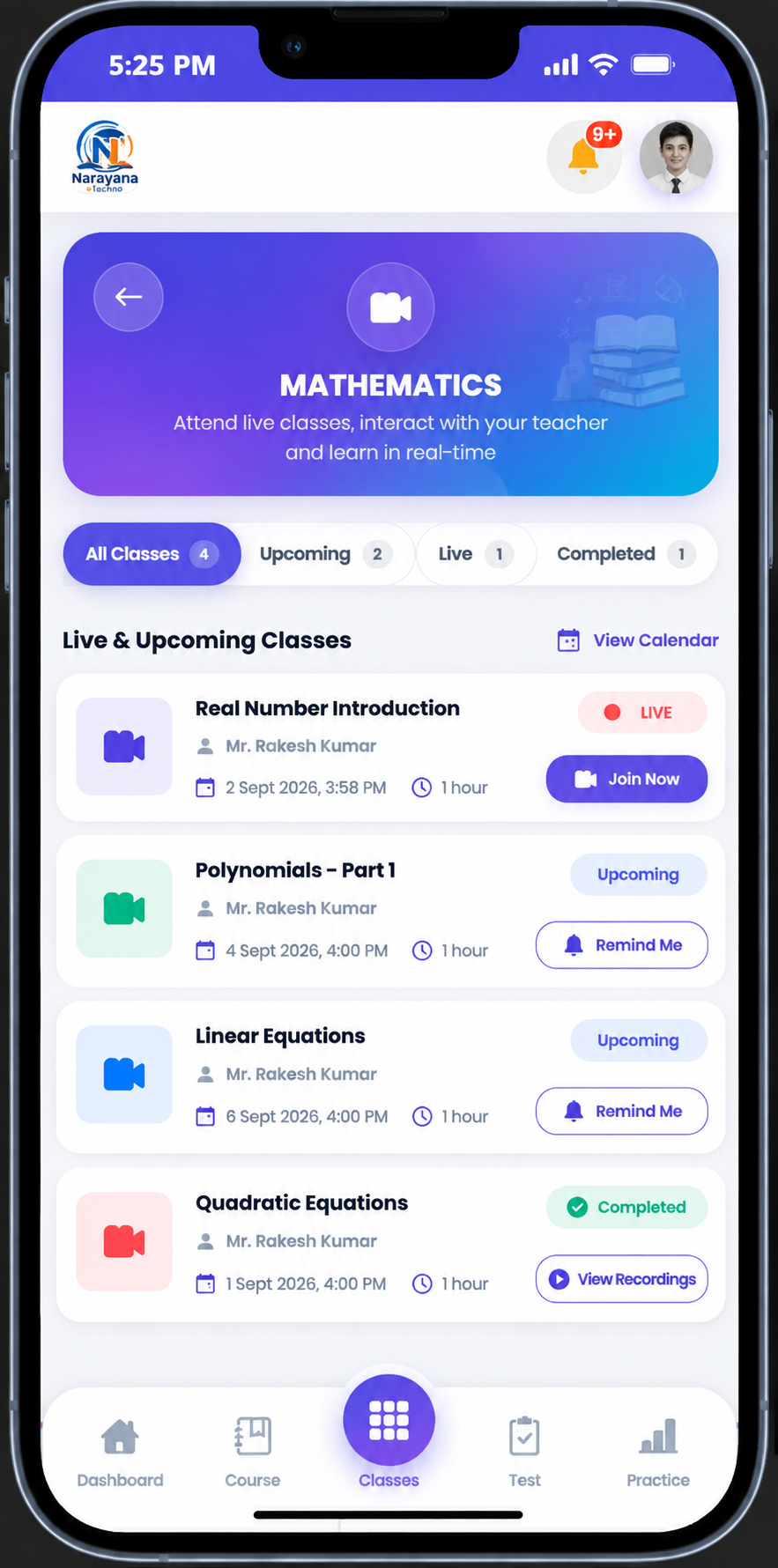
Live Online Classes
Schedule a class with one link - students tap to join, attendance logs itself.
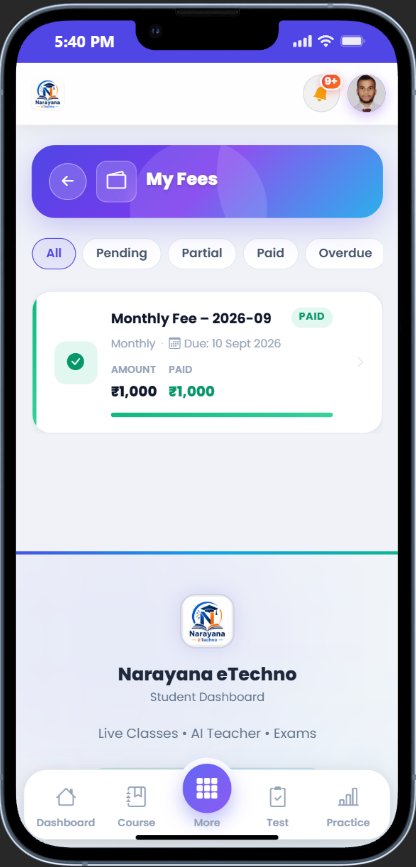
Fee Management
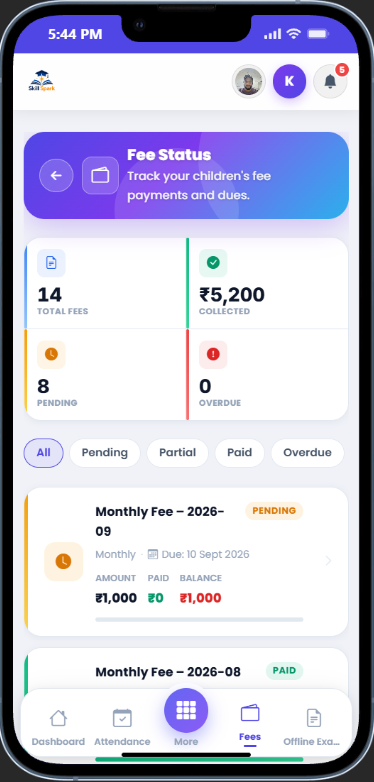
Parents pay online by UPI or netbanking from their phone - you get an instant numbered PDF receipt.

Parents Pay Fees From Their Phone -
No Trip to the School Office
Parents and students open the IntelCampus app, see what is due and pay in seconds by UPI, netbanking, debit or credit card - or by scanning a QR code with any UPI app. The receipt lands in the app the moment the payment succeeds.
- UPI, netbanking, cards & QR - Google Pay, PhonePe, Paytm, Visa, Mastercard, RuPay and all major banks.
- Money goes straight to your school - connect your own Razorpay account; fees settle to your bank.
- Auto-updated fee ledger - the fee is marked paid and a numbered receipt is generated, with no manual entry by your accountant.
- Fewer queues, fewer reminders - parents pay any time, from anywhere, so dues get cleared sooner.
Study Smarter - Not Harder.
AI Built Right Into Every Note.
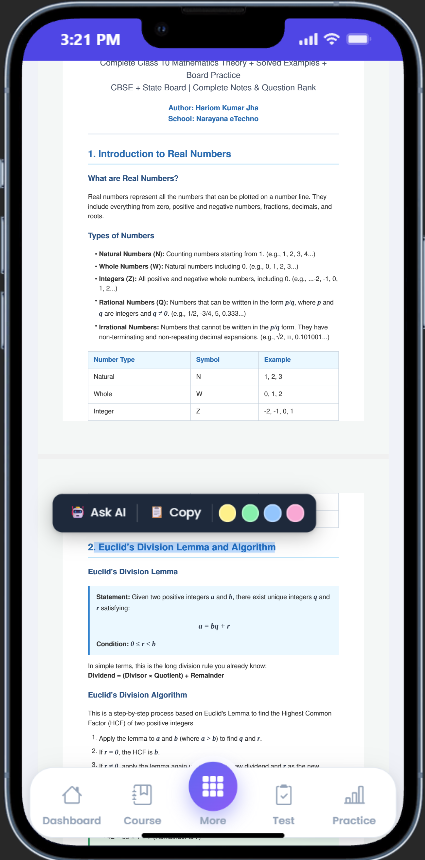
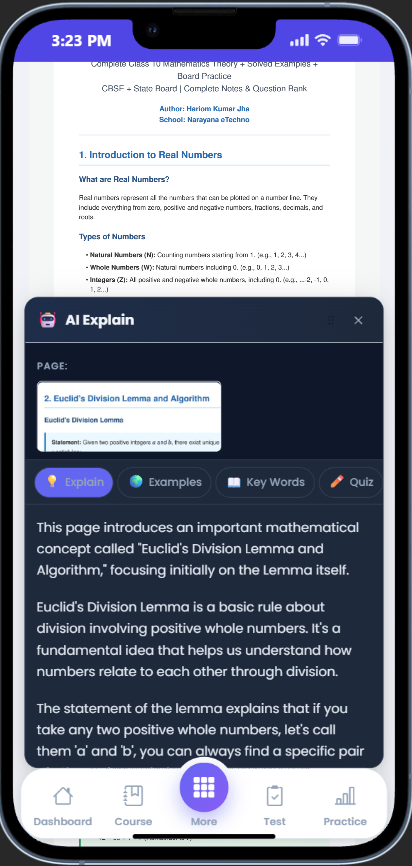
Students don't just read PDFs on IntelCampus - they learn with AI. Highlight any paragraph and the AI panel activates instantly. No separate app, no login - it's built into the notes page.
Included in every plan - no extra AI subscription needed.
Ask About AI NotesAsk Your School's Data -
Don't Dig Through Reports
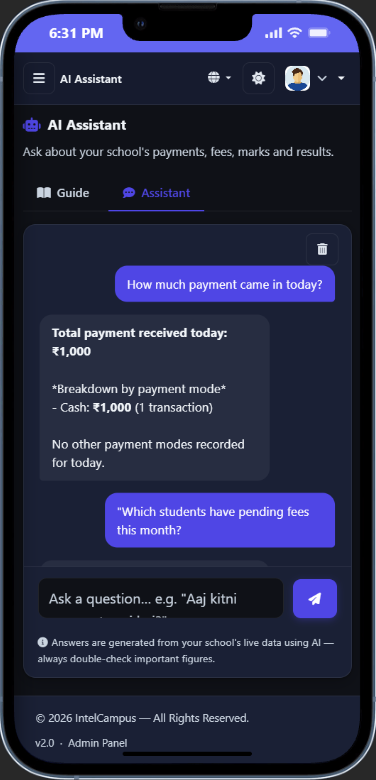
Type a question in plain English or Hindi - fees collected today, pending dues, attendance, exam results - the AI reads your school's live data and answers instantly.
Included in every plan - no extra AI subscription needed.
Ask About the AI AssistantNot "IntelCampus" -
Your School's Own App
Every school gets its own real Android app, built with your school's own name and icon - not a generic IntelCampus-branded app. Share the download link on WhatsApp and students install it directly.
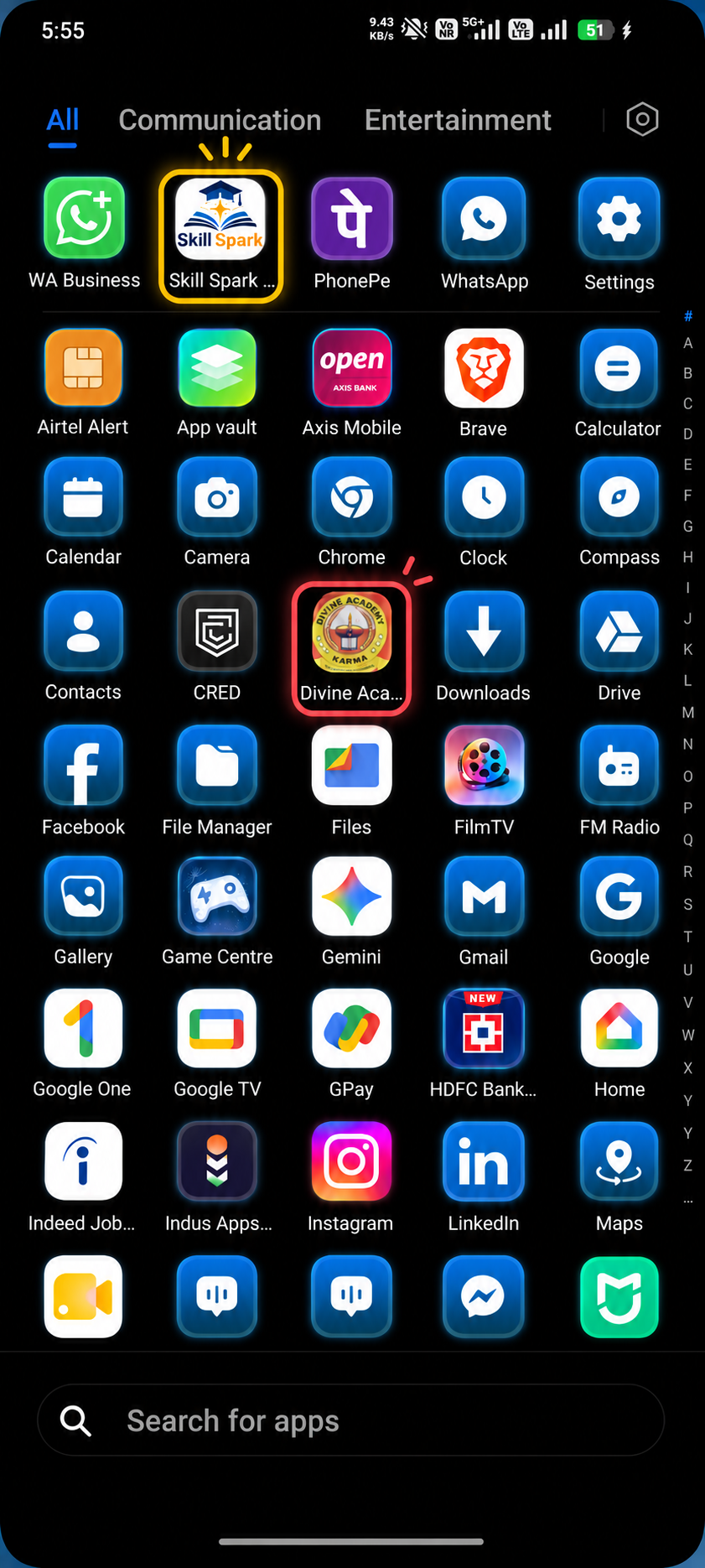
Available for every school on IntelCampus - no extra setup fee.
Ask About Your School's AppGet Your School Online
in 3 Simple Steps
No technical expertise needed. No IT staff required. IntelCampus is designed to be set up by any school administrator in minutes.
Register Your School
Sign up in under 5 minutes. Add your school details, set up classes, subjects, chapters, and add teachers and students. No downloads, no installation - just your browser.
Register Free →Start Teaching
Teachers mark attendance, conduct exams, upload notes, assign homework, and run live classes. Students access everything instantly from their mobile app. Parents stay updated automatically.
See Full Guide →Track & Grow
Monitor student performance, attendance trends, and fee collection from the admin dashboard. Export any report to PDF or Excel. Make data-driven decisions to improve outcomes.
Explore Features →Built for Schools & Coaching Institutes
to Manage Everything in One Place
A connected platform for academics, administration, fees and communication - set up by your own team, with no dedicated IT staff or technical background needed.
100% Cloud-Based - Zero Hardware
There's nothing to install. Open a browser, log in, and your school is live. It works the same whether your principal is on a laptop in the office or a teacher is marking attendance from a basic Android phone.
- Works on any mobile, tablet, or desktop
- Updates automatically - no manual upgrades
- No server cost, no hardware to buy
Hindi & English - Switch Anytime
The entire admin panel, student app, and parent portal works in both Hindi and English. Teachers can write exam questions in Hindi, parents can read notifications in Hindi, and the AI chatbot answers doubts in either language.
- Admin panel, student & parent app in both
- Exam questions in Hindi or English
- AI tutor responds in the student's language
Students & Parents Need No App Download
By default, students and parents just open a link in their mobile browser - Chrome, Safari, or any browser - no Play Store, no App Store, no waiting for approval. Schools that want more can also generate their own branded, installable Android app - see Your Own Branded App.
- Open in any mobile browser - done
- No Play Store or App Store needed
- Works on low-end Android & iOS devices
Your School's Data Stays Yours
Every school on IntelCampus has completely isolated data - no other school can see your students, fees, or results. The principal sees everything, teachers see only their class, students see only their own data. Role-based access is enforced at every level.
- Encrypted at rest & in transit
- Role-based: Admin, Teacher, Student, Parent
- Complete data isolation per school
Trusted by Schools & Coaching Institutes
Real feedback from institutes using IntelCampus to run their daily operations.
We have seen a real improvement in how smoothly things run since switching to IntelCampus. Attendance, fees, and exam management are now largely automated, which has made a big difference for our team.
Skill Spark
Owner
Since we started using IntelCampus, our daily operations have become far more streamlined. Student attendance, fee collection, and exam scheduling that used to take hours are now handled automatically.
Alpha Classes
Owner
IntelCampus has made day-to-day school management so much easier. Most of our manual work - attendance, fee tracking, exam records - is now automated, which has saved our staff a lot of time.
Sanskar Bharti Public School
Principal
IntelCampus has genuinely simplified how we run our institute. From tracking student performance to managing fees, a lot of our processes now run automatically instead of on paper.
Divine Academy
Owner
Frequently Asked Questions
Quick answers about IntelCampus school management software.
IntelCampus is a complete, modern Educational Management Information System (EMIS) built specifically for Indian schools, academies, tuition centers, and high-stakes test prep institutes. It bridges the gap between traditional school administration and high-stakes competitive coaching through its unified dual-engine architecture.
Key Capabilities & Differentiators:
-
Zero Hardware & Browser-Native Access: Runs smoothly via standard web browsers (Chrome, Safari) on basic smartphones or desktop computers. Schools do not need dedicated local servers, expensive IT infrastructure, or system administrators.
-
No-App-Download Parent & Student Portals: Operates as a Progressive Web App (PWA). Parents and students access portals via web links without taking up phone storage, eliminating app store dependency in Tier-1, Tier-2, and Tier-3 cities.
-
1-Tap Bilingual Interface (Hindi + English): Allows administrators, teachers, and parents to instantly toggle the entire system UI between Hindi and English with a single tap for seamless communication.
-
End-to-End Offline Examination Lifecycle: Automates conflict-free date sheets, attendance/fee eligibility screening, 1-click randomized seating plan allocation, digitally signed hall tickets (admit cards), and instant marksheet generation.
-
Competitive Coaching Engine (IIT-JEE / NEET / CUET): Supports configurable negative marking (e.g., +4/-1), timed All-India Test Series (AITS), chapter-wise MCQ practice quizzes, and live proctored anti-cheat protection (tab-switch alerts).
-
Integrated AI Teacher & Digital Learning Suite: Provides 24/7 AI-assisted homework support, an E-Library for notes/video lectures, and automated WhatsApp fee receipt distribution.
Target Audience & Best Fit
IntelCampus is engineered for:
-
K-12 Schools (CBSE, ICSE & State Boards): Seeking budget-friendly, serverless cloud administration.
-
Competitive Coaching Academies (IIT-JEE / NEET / Foundation): Requiring online exam proctoring, negative marking engines, and batch rank analytics.
-
Dual-Setup Institutions: Groups running a K-12 school during the day and competitive coaching batches in the evening under one unified dashboard.
IntelCampus serves a diverse ecosystem of educational stakeholders through tailored access roles and modules designed for specific organizational needs.
1. Institutional Types (Who Can Deploy It)
-
K-12 Schools (CBSE, ICSE & State Boards): Designed for budget-conscious primary and secondary schools looking to automate administrative tasks, attendance, fee collections, and report cards.
-
Competitive Coaching Academies (IIT-JEE / NEET / CUET): Built with specialized test engines supporting negative marking (+4/-1), timed All-India Test Series (AITS), anti-cheat proctoring, and chapter-wise MCQ practice.
-
Tuition & Test Prep Centers: Ideal for private academies managing multiple batches, fee dues, and rapid student performance tracking.
-
Dual-Engine / Hybrid Institutions: Perfect for organizations running a K-12 school during the day and competitive coaching batches in the evening under a single dashboard.
2. User Roles & Stakeholders (Who Interacts With It)
-
School Owners & Administrators: Access centralized control over admissions, teacher payroll, fee accounting, multi-campus governance, transport, and hostel management.
-
Teachers & Educators: Take roll call in 30 seconds, assign homework with attached study material, evaluate subjective/objective exams, and upload report marks directly from any mobile browser.
-
Parents & Guardians: Access a no-app Progressive Web App (PWA) portal to track daily attendance, view digital marksheets, receive instant WhatsApp fee receipts, and monitor missing homework in Hindi or English. Multi-child linking allows tracking all enrolled siblings under a single account.
-
Students: Access 24/7 AI Teacher homework support, view class timetables, join live online classes, take practice quizzes, and download digitally signed admit cards.
-
Accountants & Administrative Staff: Manage offline/online fee collections (UPI, Cash, Cheque) and auto-generate numbered PDF receipts and payroll slips.
IntelCampus features a built-in virtual classroom and digital learning suite engineered for K-12 schools, tuition academies, and high-stakes test prep institutes (IIT-JEE/NEET). It enables seamless hybrid learning, remote lectures, and self-paced revision without requiring complex hardware setups or forced app store downloads.
Core Virtual Classroom Capabilities:
-
Seamless Integration with Leading Platforms: Teachers can paste meeting links from Zoom, Google Meet, or Microsoft Teams directly into the scheduling panel.
-
1-Tap Join for Students: Students view scheduled sessions on their web/PWA dashboard and tap once to enter the live class—no extra software installations or separate meeting logins required.
-
Automated Attendance Logging: The system automatically marks student attendance the moment they enter the live online class, saving class time and feeding real-time logs to the administration.
-
Instant WhatsApp & Push Notifications: Parents and students receive automated reminders before a live session starts to ensure high attendance rates.
-
Integrated E-Library & Recorded Lectures: Instructors can attach chapter notes, PDFs, or YouTube video lecture links alongside live sessions so students can review missed topics anytime.
-
24/7 AI Teacher Assistance: Students can use the built-in AI Tutor to clarify concepts discussed during online classes, solve homework queries, or attempt practice quizzes.
IntelCampus provides a dual-engine online assessment platform built to handle both general K-12 school assessments and high-stakes competitive entrance coaching tests (IIT-JEE, NEET, CUET, and Foundation prep). It operates entirely through standard mobile browsers, eliminating app store download friction for students.
Core Online Exam Capabilities:
-
Multiple Test Formats: Create automated Multiple Choice Questions (MCQs), image-based questions, chapter-wise quizzes, or upload subjective written answer papers.
-
Competitive Negative Marking Engine: Configure exact marking rules per exam (e.g., +4 for correct answers, -1 for incorrect answers, 0 for unattempted) to replicate JEE and NEET testing patterns.
-
Anti-Cheat & Live Proctoring Shield: Monitors live student sessions with real-time tab-switch and app-change detection. Teachers can set maximum violation thresholds before the system automatically locks and submits the test paper.
-
Real-Time Invigilator Dashboard: Displays live student statuses (Active / Submitted / Not Started / Tab Switched Alerts) allowing teachers to monitor progress in real time.
-
Instant Evaluation & Leaderboards: Objective MCQ results, score percentages, and class ranks are calculated automatically the second a student submits their exam.
-
Subjective Online Grading: For written tests, students snap photos of handwritten answer sheets to upload via mobile browser; teachers evaluate, annotate, and grade submissions directly on their portal.
-
Chapter-Wise Self-Practice Quizzes: Teachers upload tagged question banks so students can re-attempt chapter-wise quizzes anytime on their phones to build speed and accuracy.
IntelCampus features an automated evaluation engine built for both standard K-12 school quizzes and high-stakes competitive entrance coaching tests (IIT-JEE, NEET, CUET, and Foundation prep). The system processes objective assessments instantly, eliminating grading delays and manual evaluation errors for teachers.
Core Automated Evaluation Capabilities:
-
Instant Real-Time Grading: Objective Multiple Choice Questions (MCQs) are evaluated the exact second a student submits their test, giving them immediate feedback.
-
Automated Negative Marking Engine: Configurable scoring logic automatically handles complex competitive exam marking schemes (e.g., +4 for correct, -1 for incorrect, 0 for unattempted).
-
Instant Rank & Leaderboard Generation: The system updates batch ranks, All-India Test Series (AITS) percentiles, and class toppers automatically upon test completion.
-
Detailed Student Performance Analytics: Students and parents can instantly view accuracy percentages, subject-wise strengths (Physics, Chemistry, Math, Biology), and step-by-step solution keys.
-
Direct Portal Publishing: Results, scores, and performance breakdowns feed directly into the Student and Parent Web/PWA Portals without requiring extra administrative processing.
IntelCampus provides a real-time, browser-native Student & Parent Portal that eliminates the delay and hassle of traditional physical report card distributions. As soon as teachers evaluate exams or publish results, scores and detailed performance analytics are instantly accessible from any mobile or desktop browser without requiring app store downloads.
Core Student Result Capabilities:
-
Instant Digital Marksheets: Students can check detailed score breakdowns, subject-wise marks, total percentage calculations, letter grades, and pass/fail statuses for class tests, term-end exams, and mock tests.
-
1-Click Official PDF Downloads: Digitally signed, school-branded report cards can be downloaded in PDF format instantly for official use or printing.
-
Competitive Exam Rank & Leaderboards: For IIT-JEE, NEET, and Foundation competitive tests, students can view their batch ranks, percentiles, subject accuracy rates, and question-by-question solution keys.
-
Historical Performance Archiving: Past academic report cards and previous test results remain permanently archived in the portal for easy reference during higher education admissions.
-
Zero-App Smartphone Access: Built as a lightweight Progressive Web App (PWA), students can check their results on basic smartphones via standard web browsers (Chrome, Safari) without consuming device storage.
-
1-Tap Bilingual View (Hindi + English): Students and parents can toggle result displays between Hindi and English with a single tap for complete clarity.
The IntelCampus AI Teacher (AI Tutor) bridges the gap between classroom instruction and late-night home study. Built directly into the IntelCampus Student Portal, it acts as a personal digital tutor tailored specifically to each student’s enrolled class, subject, and curriculum.
Core AI Teacher Capabilities:
-
24/7 Doubt Resolution & Homework Support: Students can ask academic questions anytime—even late at night when teachers are unavailable—and receive instant, step-by-step explanations.
-
Syllabus & Context Awareness: Unlike generic web search tools, the AI Teacher answers questions using the specific textbook topics, class notes, and chapter contexts uploaded by their school teachers.
-
Bilingual Guidance (Hindi + English): Students can ask questions and receive clear explanations in either Hindi or English, making complex concepts easy to understand for regional medium and bilingual students.
-
Self-Paced Practice & Quiz Preparation: Helps students prepare for upcoming objective/MCQ tests or subjective exams by breaking down problem-solving steps and explaining chapter fundamentals.
-
Zero App Download & Browser-Native Access: Operates directly inside the student's standard mobile browser (Chrome, Safari) on basic smartphones without taking up phone storage.
-
Reduces Teacher Workload: Solves routine homework queries automatically, freeing teachers from answering repetitive late-night student messages.
IntelCampus prioritizes data privacy, security, and integrity for K-12 schools, coaching academies, and educational institutions. Operating on a serverless, browser-native cloud model, it eliminates the data loss, physical theft, and corruption risks associated with local desktop registers and legacy on-premise hardware.
Core Data Security Capabilities:
-
End-to-End Encryption: All sensitive student profiles, examination records, marks, and financial transactions are encrypted both in transit (via SSL/TLS protocols) and at rest on secure cloud servers.
-
Complete School-Level Data Isolation: IntelCampus enforces strict multi-tenant data isolation. Each educational institution's database is completely separated, ensuring no other school or unauthorized third party can ever view or access your students' data.
-
Strict Role-Based Access Control (RBAC): Permissions are strictly segmented across 5 distinct access levels:
-
Principals/Admins: Full institutional oversight across all modules.
-
Teachers: Access limited only to their assigned classes, subjects, and grading sheets.
-
Accountants: Access limited strictly to fee collections, receipts, and financial ledgers without access to exam papers or academic records.
-
Parents & Students: Read-only access restricted strictly to their own personal academic and fee records.
-
-
Cloud Independence & Zero On-Premise Risks: Eliminates risks from hardware crashes, hard drive corruptions, virus attacks, or local desktop server failures common in traditional paper/offline school systems.
-
Automated Offsite Backups: Daily automated backups prevent accidental data loss and allow instant disaster recovery for school administrators.
-
Secure Web & PWA Portals: Eliminates unsafe third-party mobile APK installations by allowing parents and students to access portals securely through standard, encrypted mobile web browsers (Chrome, Safari).
IntelCampus offers a robust, dual-engine examination monitoring suite designed to maintain high academic integrity for both online assessments (quizzes, mock tests, competitive JEE/NEET test series) and traditional offline pen-and-paper school exams.
Core Exam Monitoring & Proctoring Capabilities:
-
Real-Time Live Invigilator Dashboard: During online exams, teachers and proctors can monitor every student's status live (Active, Not Started, Submitted, or Disconnected) directly from their admin panel.
-
Anti-Cheat Tab-Switch & App-Change Detection: The system automatically detects if a student attempts to open a new tab, switch browsers, or launch external search/AI apps on their phone or computer during a test.
-
Automated Auto-Submit Thresholds: Administrators can configure allowable violation counts (e.g., maximum 2 tab-switches); if a student exceeds the limit, the system automatically locks and submits the exam paper instantly.
-
Timed All-India Test Series (AITS) Controls: Supports strict time limits, single-session constraints, and question randomization to prevent answer sharing during competitive entrance test series.
-
Offline Exam Seating Plan & Eligibility Monitoring: For physical exams, IntelCampus screens fee/attendance eligibility and automatically generates randomized seating allocations per exam hall to eliminate copying.
Yes, IntelCampus is ideal for small coaching centers and tuition academies. It requires zero hardware investment, runs entirely on basic smartphone browsers without mandatory app store downloads, and provides competitive test prep tools like negative marking (+4/-1) and automated fee receipts.